Adding some outputs
I made a couple of adaptions to my modular this week, both involving adding new outputs. First, external connections for the spring reverb module. And then a stereo pair of balanced outputs for the main modular.
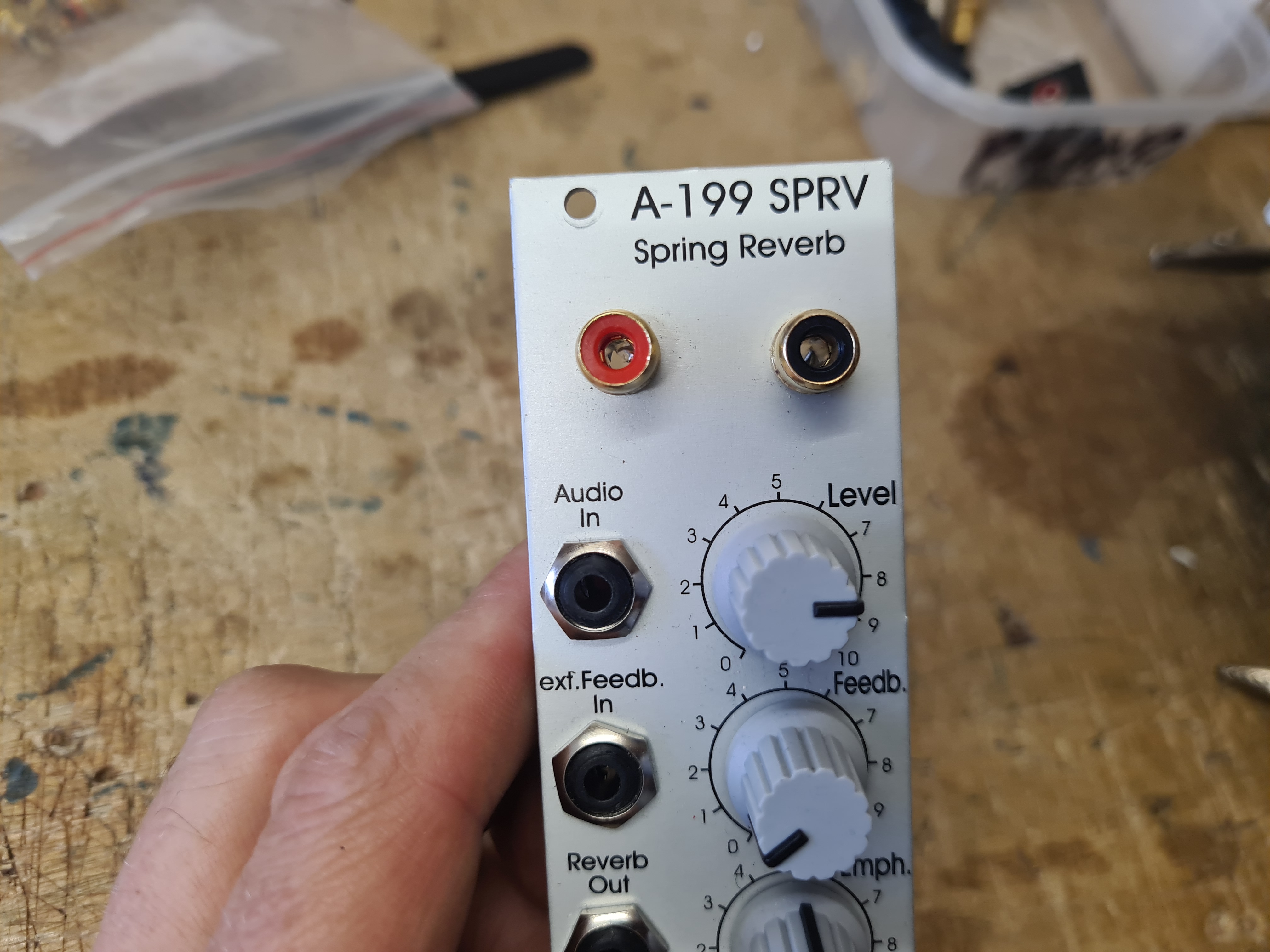
The Doepfer A-199 SPRV is a basic spring reverb module that comes with a mini reverb tank. It’s quite basic compared to some other brands, but also reasonably priced, and includes the main feature I was interested in: feedback control. With my setup I have a basic resonant bandpass filter plugged into the feedback chain, which means I have some control over what frequency it goes off at. The other reason I wanted a spring reverb in my improvising setup was the tactile nature of the effect – you can bash the springs, damp them with foam, fingers or magnets, and otherwise physically manipulate them for a variety of effects. The Doepfer module uses an external tank, but the cables are round the back of the module, on the inside, as it’s really intended that the tank is hidden away inside your case somewhere. Luckily there’s a decent amount of space on the front panel, so I added a couple of RCA sockets and used the existing cable connection to link them up (see photos) – that way I could always revert back to an internal tank if I wanted to.
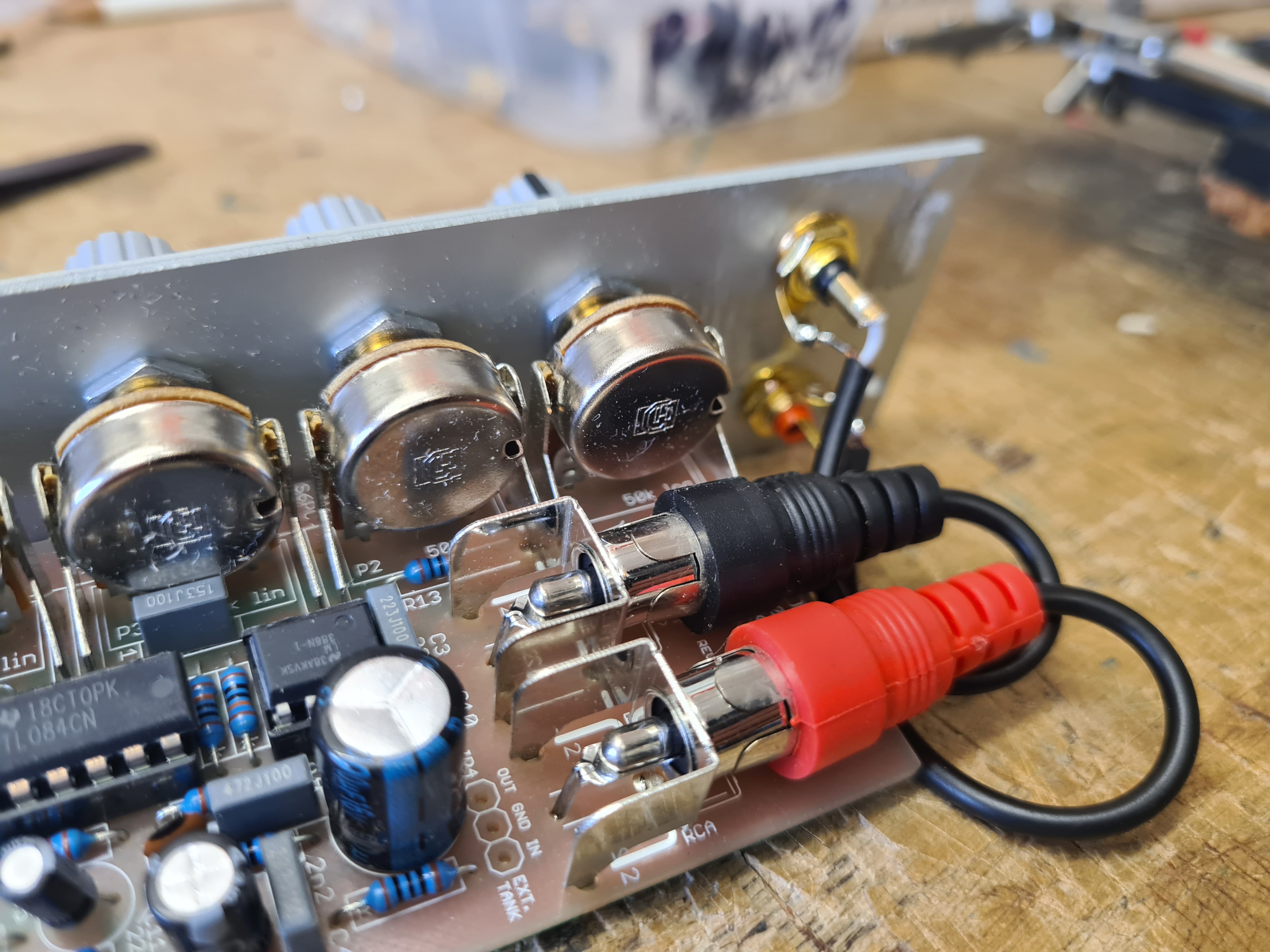
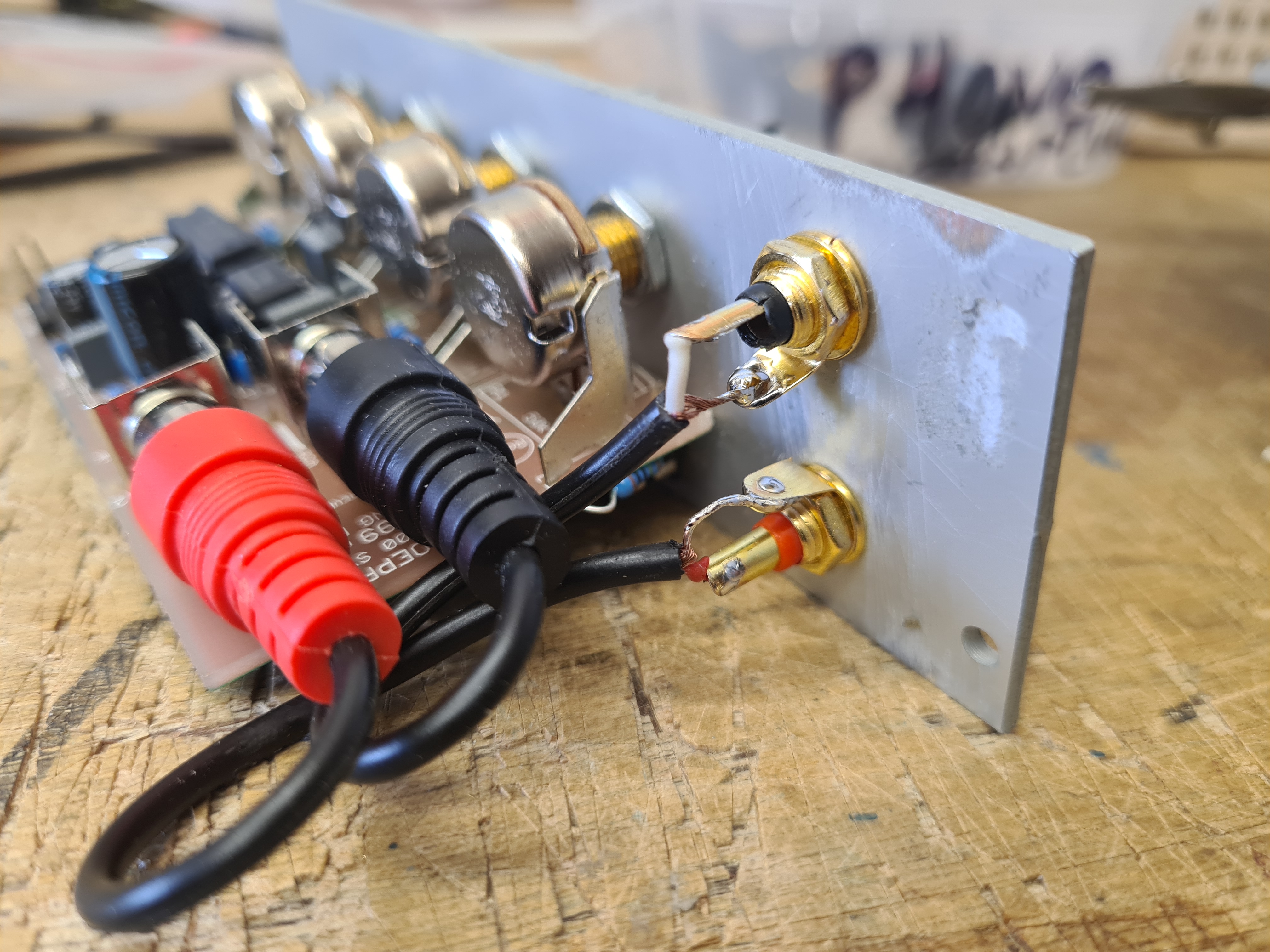
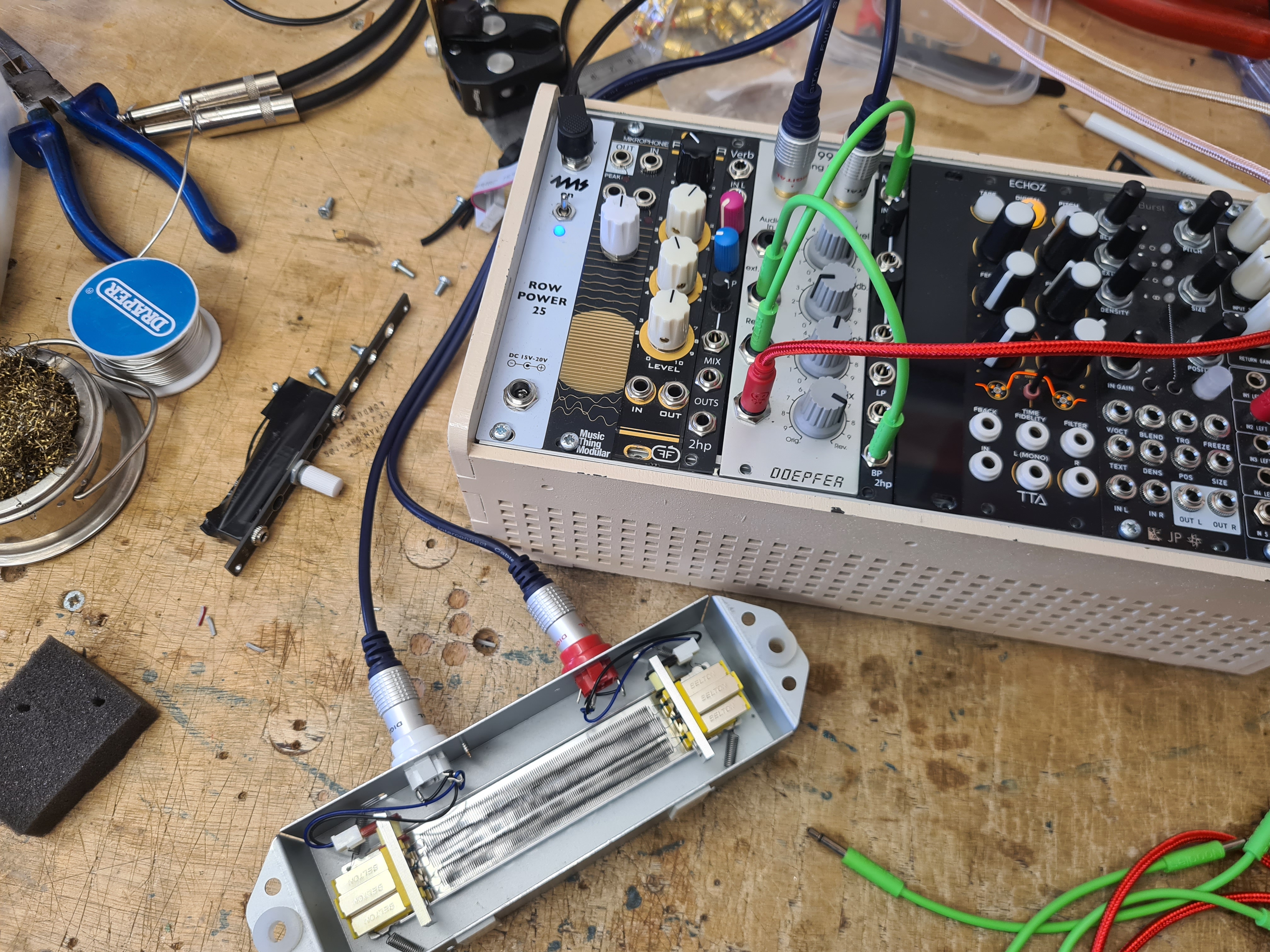
I own a few different spring tanks already, as I used to use them in a previous set up and still use them (often as stereo pairs) for external effects when recording or mixing down. My plan was to be able to switch between different tanks, with different sonic characteristics, resonances and timbres. That does work, but the bigger tanks (mainly from/intended for guitar amps) are harder to drive and most don’t get to the threshold to feed back. I might consider some sort of boost in the feedback chain to try to deal with this – the manual does suggest using a VCA as one option for feedback – but currently I’m happy to use the small tank only for my portable improvising setup. The image below shows the module installed, with the external tank.
The second mod I worked on this week was for my main modular case. I designed the case to have three rows of 3U (roughly divided into signal control modules, drums, and synth voices) with a row of 1U modules for utilities. I have a 4 channel stereo mixer on the 1U strip, which sums everything in the system, and this feeds into a master out module. Previously I was using an Intellijel headphone output – a small unit just with a pair of inputs, master volume control and 6.5mm stereo jack output. I’ve used it for a bunch of gigs and recordings, but for a long time was getting some problems with noise when connecting to external systems. It sounded like the kind of noises generated by a ground loop with laptop audio, fizzy high pitched crackly sounds, and ruined a few recordings and caused issues at some gigs. For a long time I was tearing my hair out trying to deal with it. Much of my rig is kind of cobbled together. I have self-made modules with arduinos outputting both digital and analogue signals, motor controllers, cheap line-level karaoke delay units, DIY modules which can get noisy in themselves, and compressors amplifying any noise and hiss that’s present.
After lots of dismantling and testing in between gigs, trying to isolate the one module which might be causing all the problems, I realised it was the headphone output whilst doing some multitrack recording. I already had several outputs running into the recorder from individual modules and sub-mixes. When I ran an additional out from the headphone unit, the noise kicked in. This was unexpected as it seemed like such a straightforward module, was made by a reputable brand and off-the-shelf not from a kit. I did various checks for bad connections on the module and bus board, but seemed it was causing issues however I had it set up. Looking for a replacement I found the Befaco Out, a slightly longer 1U unit which did basically the same thing but with separate controls for line out and headphone out (and an optional cue mix).
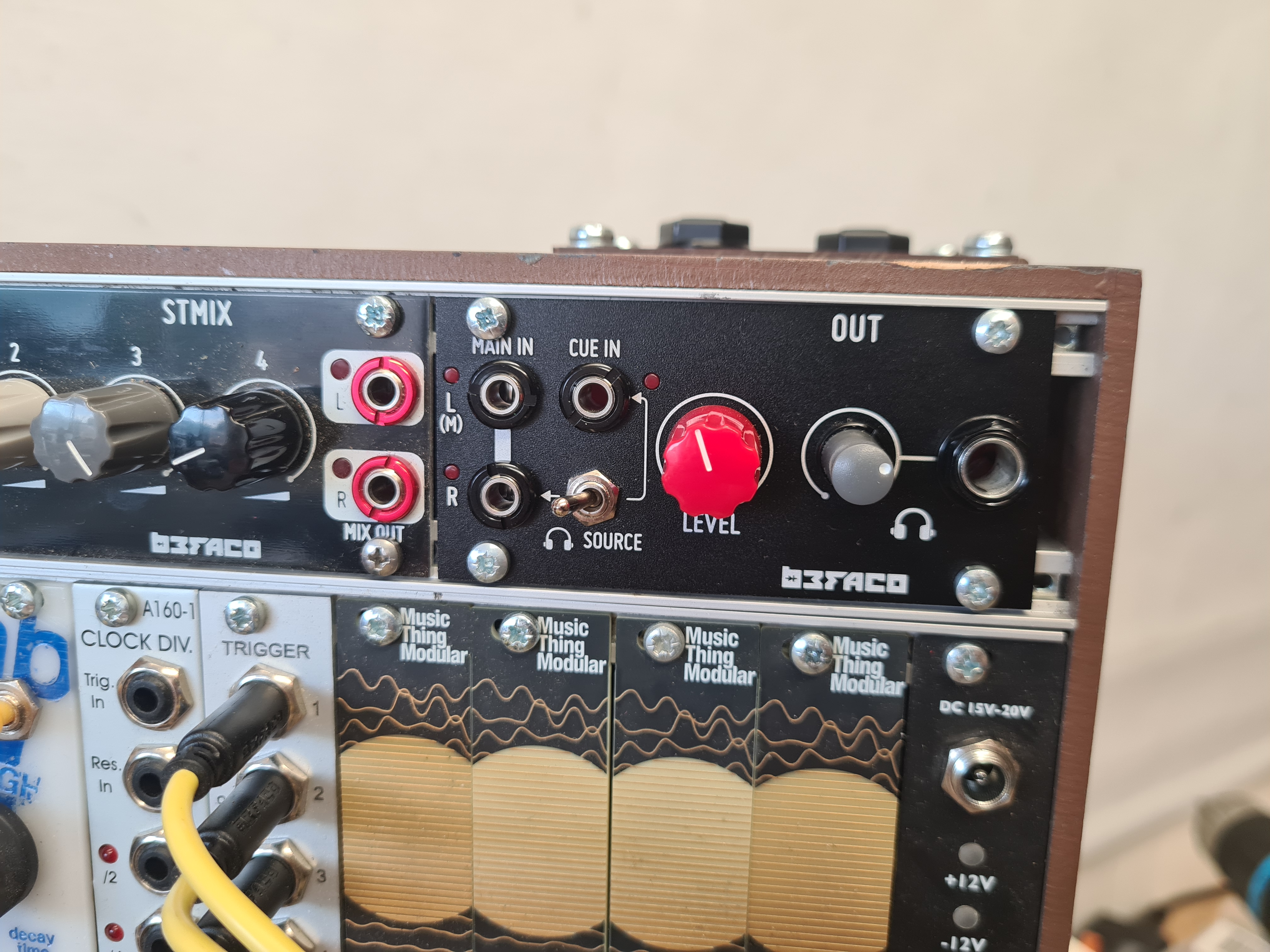
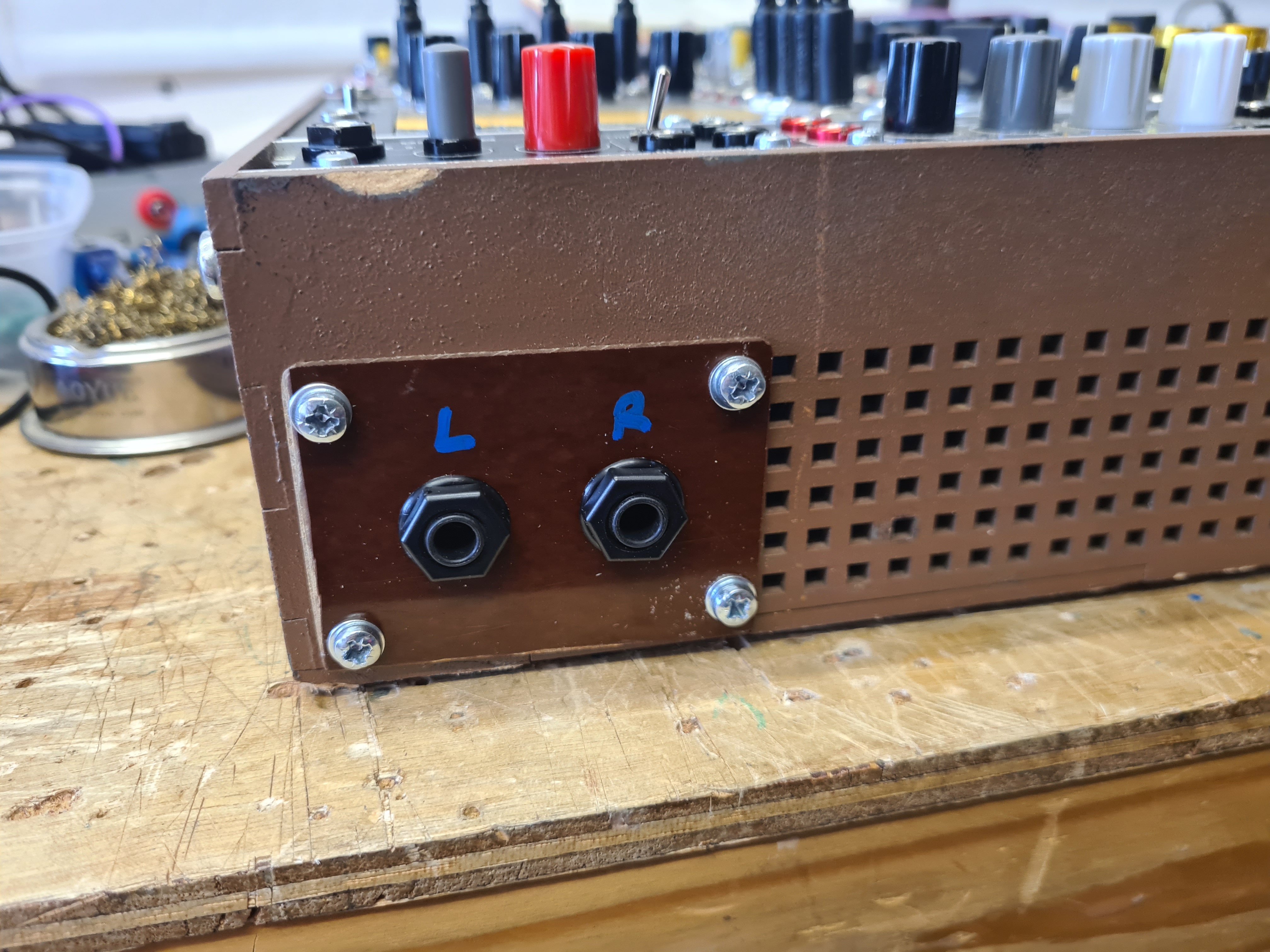
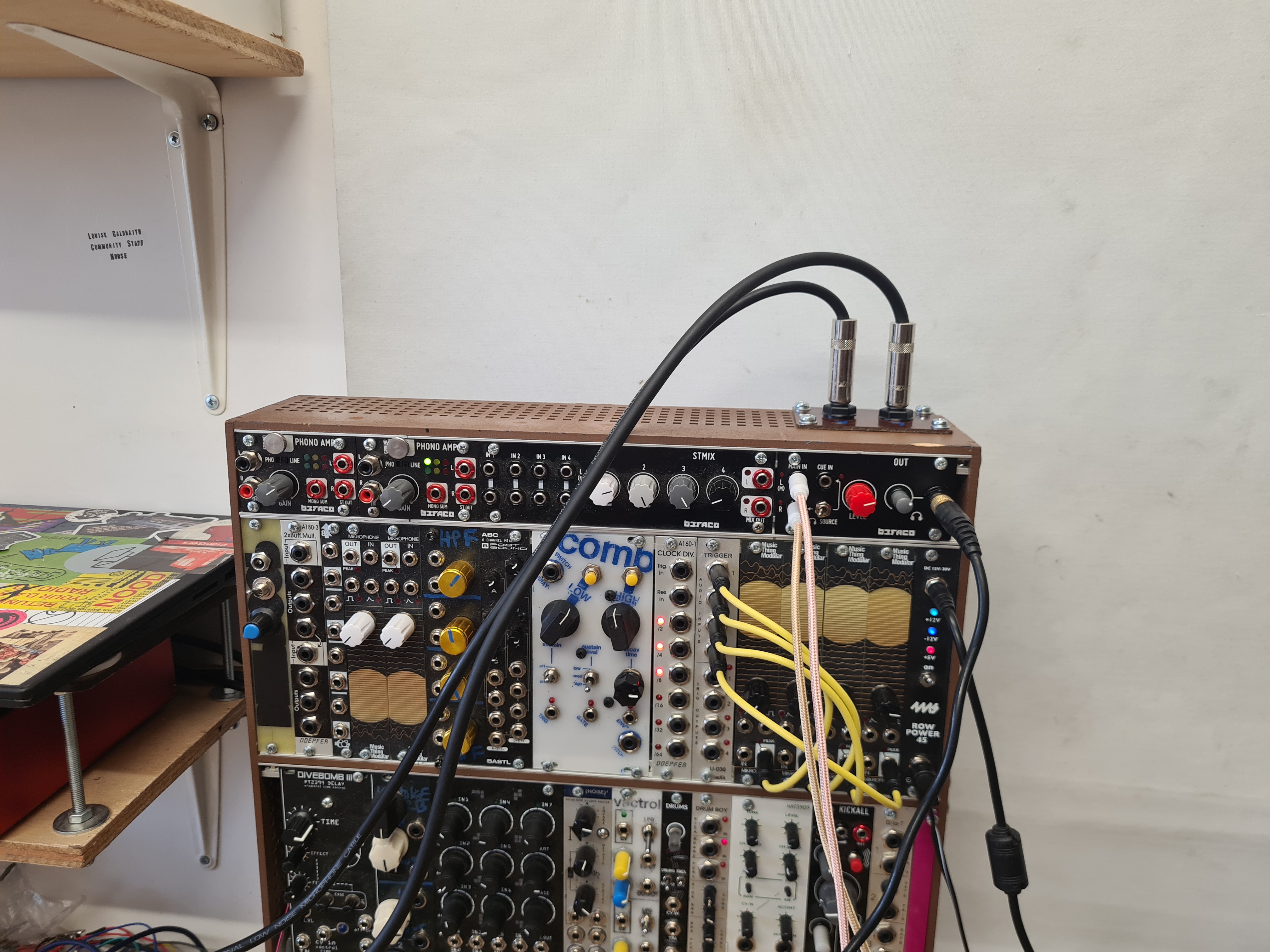
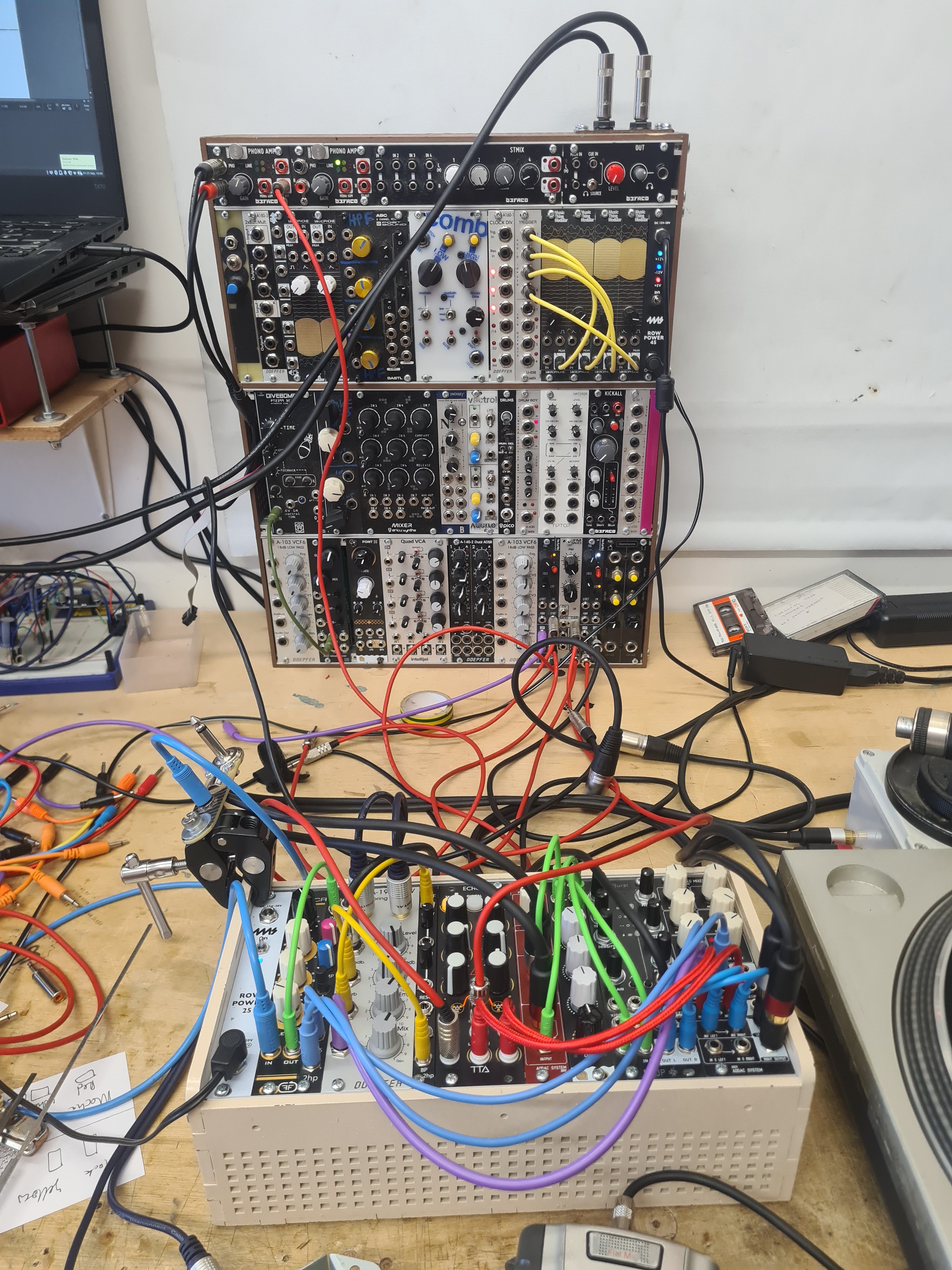
I’d missed out on buying the kit version from Thonk, so went with a pre-made version which was a fair bit more expensive. The only issue was that my home-made case did not have any output jacks to connect to, so I needed to make some. The pins for the output cable were listed in the user manual so it was straightforward to deduce which cables to connect up. I chopped a hole in the vents in the back of the case, and used a piece of some weird bakelite material I bought for making module faceplates with (which had turned out to be impossible to laser cut, as it just burnt and sent off toxic fumes) to make the panel. It’s a pain to cut but it’s very stiff for its thickness. The new output works great – no ground loop noise at all in tests so far. I ended up using the big rig just to route the output for monitoring initially, later using both cases connected together for some recording. The first proper test with it will be at my gig for Westport Sound in Wiltshire in a few weeks.
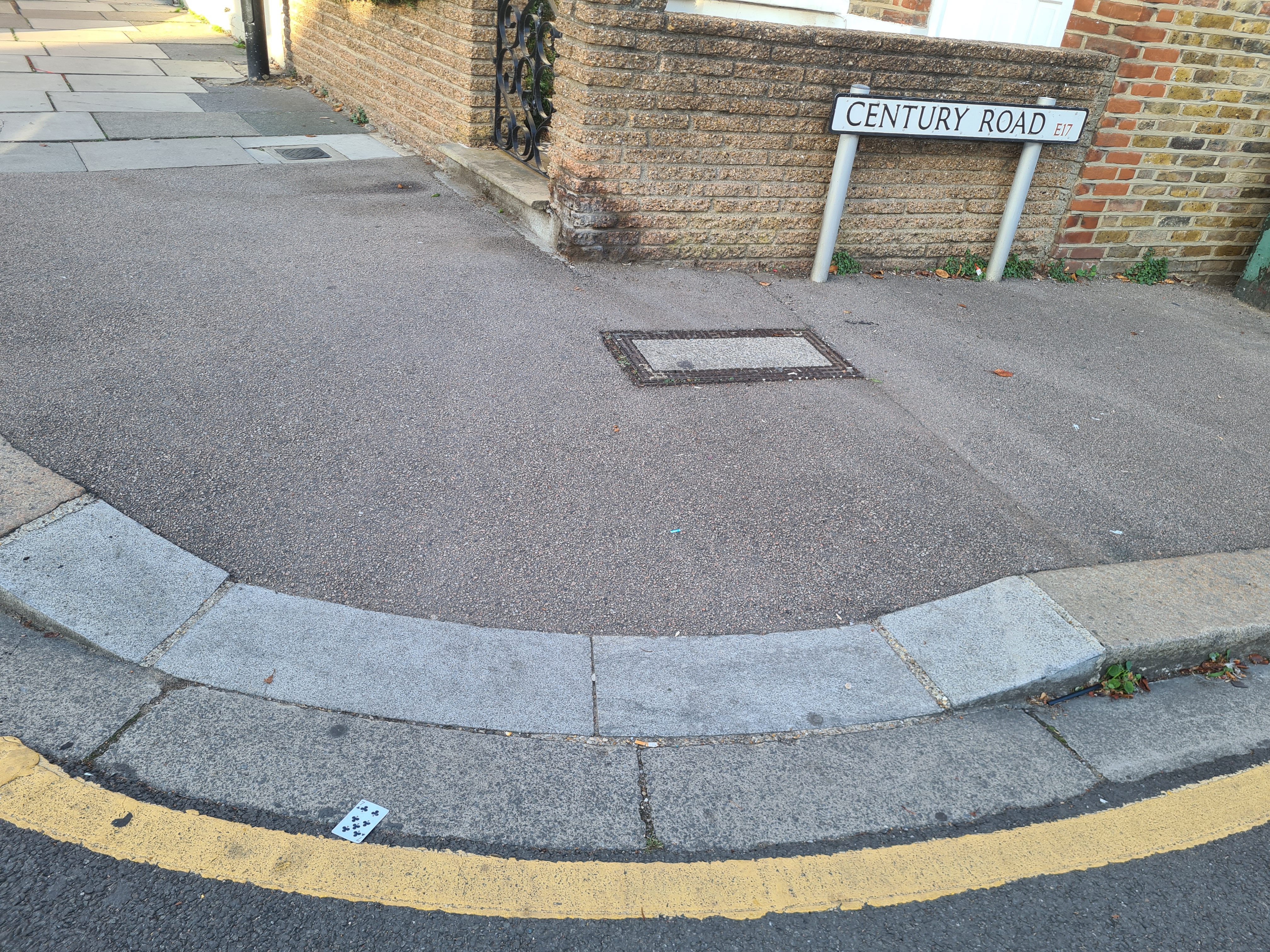
Found playing card: 5 of Diamonds
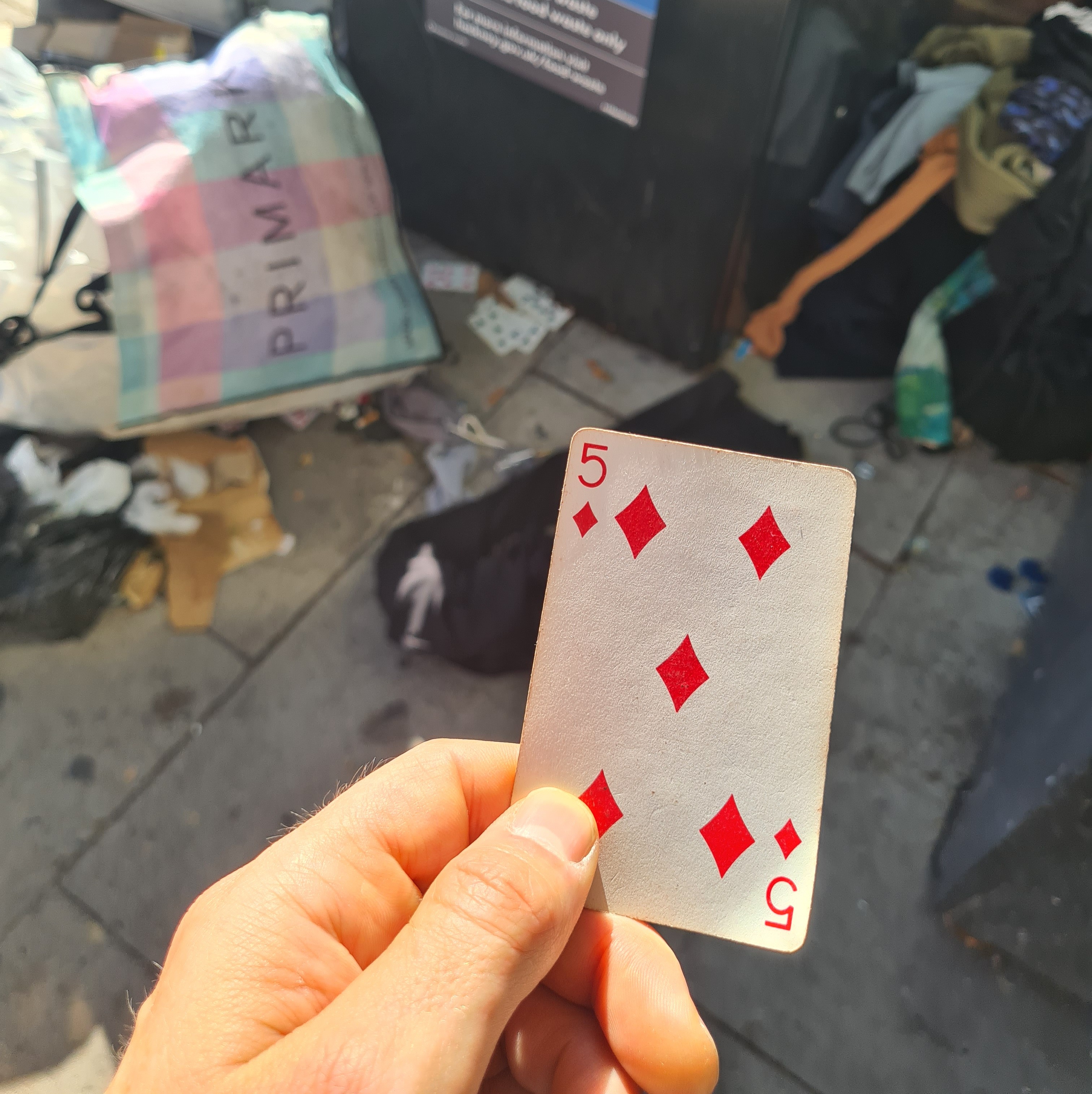
Most of a deck abandoned by the recycling bins. As per the rules, I took only the first card I saw.
Consumer Electronics Necromancy (a couple of satisfying repairs)
Over the last couple of weeks I’ve successfully brought two items back from the dead: a four-track tape recorder and a Windows 10 laptop. Both felt like they were going to be difficult, long shots at success even, so I’m particularly glad they worked out. I’ve got plenty of use from both of them over the years, but wasn’t ready to bin them.
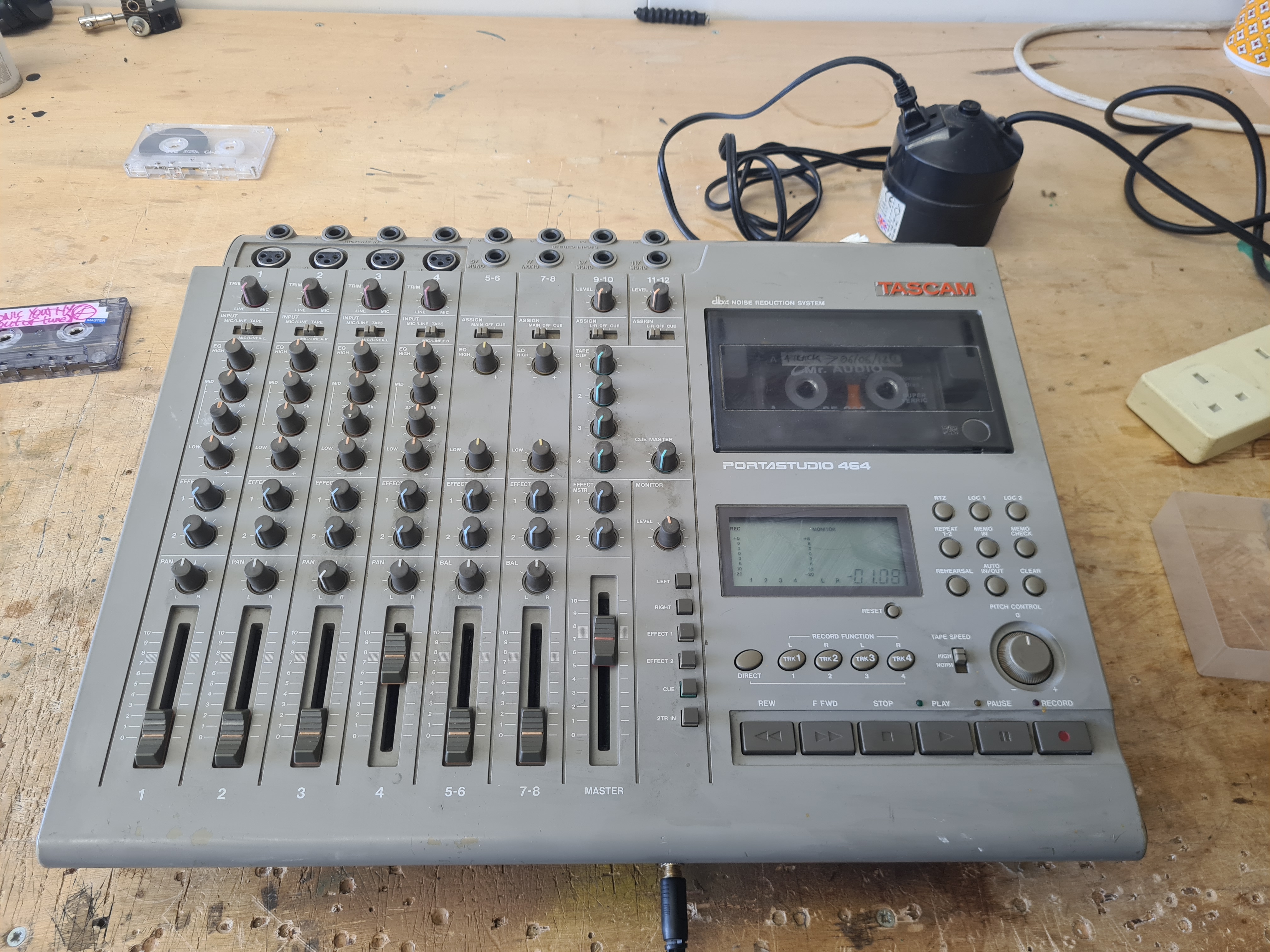
The four-track tape recorder is a Tascam PortaStudio 464. This particular model is the same one my secondary school music room had, which me and my friend Andy borrowed in 1997 to record our punk band’s first demo. From there I went on to use it to learn the principles of studio recording, making lots of tapes and kickstarting my longstanding love of bedroom recording. Around 10 years later I got my own one, and used it over five years or so to record demos with my noise band Blood Moon, and later a couple of solo and collaborative albums. Wound was an album made by live-sampling second-hand tapes, recorded to tape, mixed down and released as an edition of tapes (recorded back onto the same tapes). Tapes tapes tapes tapes. For Inside Memory’s Head, me and Embla Quickbeam each used a four-track in our own home studios, sending tapes through the post to add tracks to each others’, then mixing down together in person at an all-analogue studio. In 2017 I used the four-track as part of an exhibition: a sort of diorama of a bedroom recording setup. Since then it’s basically been sat on a shelf unused.
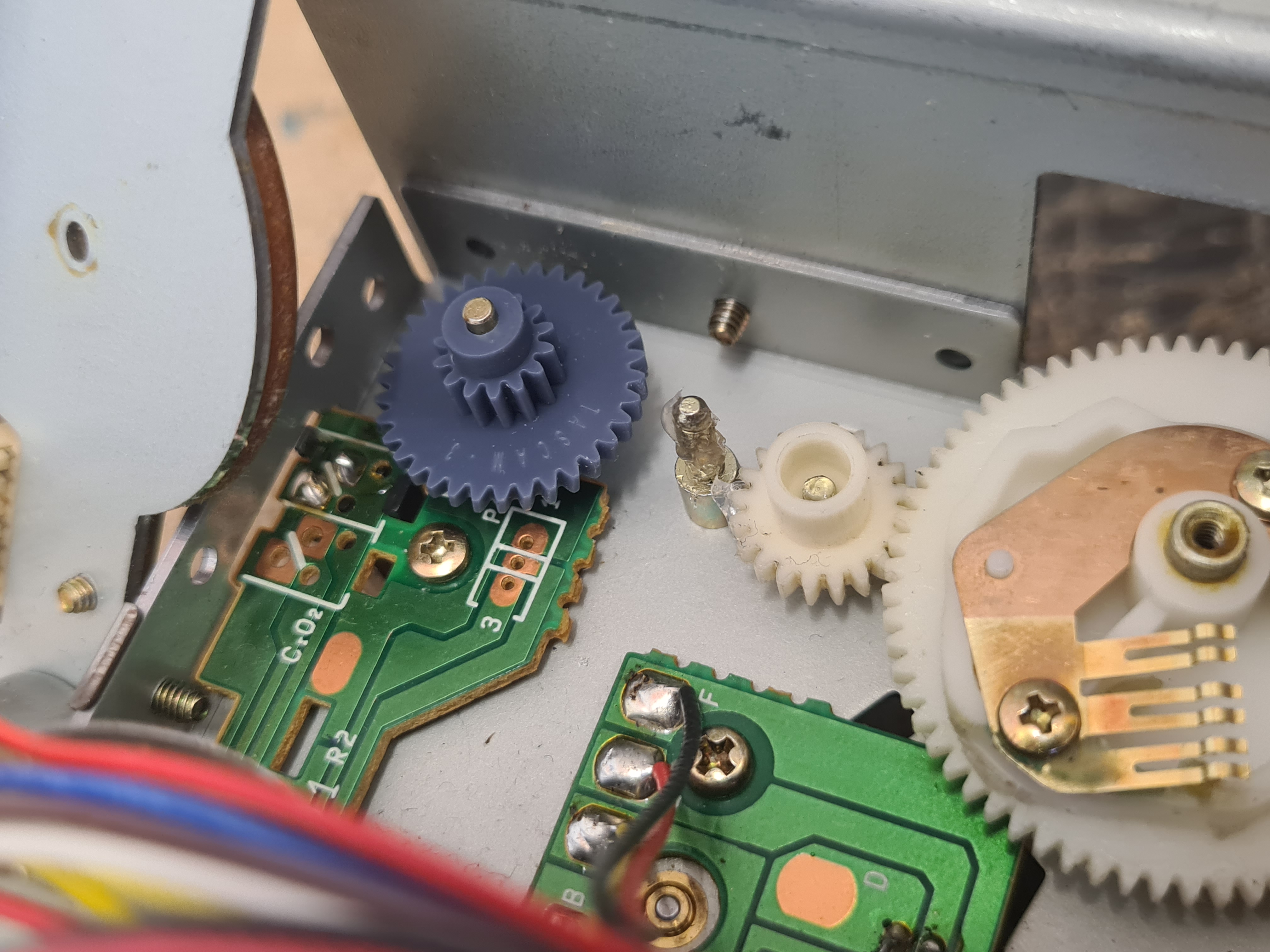
Returning to the PortaStudio recently, I realised it wasn’t working: motor noise from inside but no movement, flashing LEDs but the buttons not working. I opened it up to have a look at the buttons, thinking perhaps the contacts needed cleaning. I managed to get to the right area and rub them down with isopropyl alcohol, reassembling, but it didn’t make any difference. At that point I started looking around online and found a great Tascam 464 playlist by Tetrakan, detailing how to take it apart, and how to handle the most common repairs. Following along with my device, it was clear that I had the same as the most common problems: a perished drive belt (the rubber just melts into a thick black paste over time) and a brittle and crumbling “gear C”, the cog that engages the heads. Due to these failures, the electromechanical logic switching stopped the transport buttons from working.
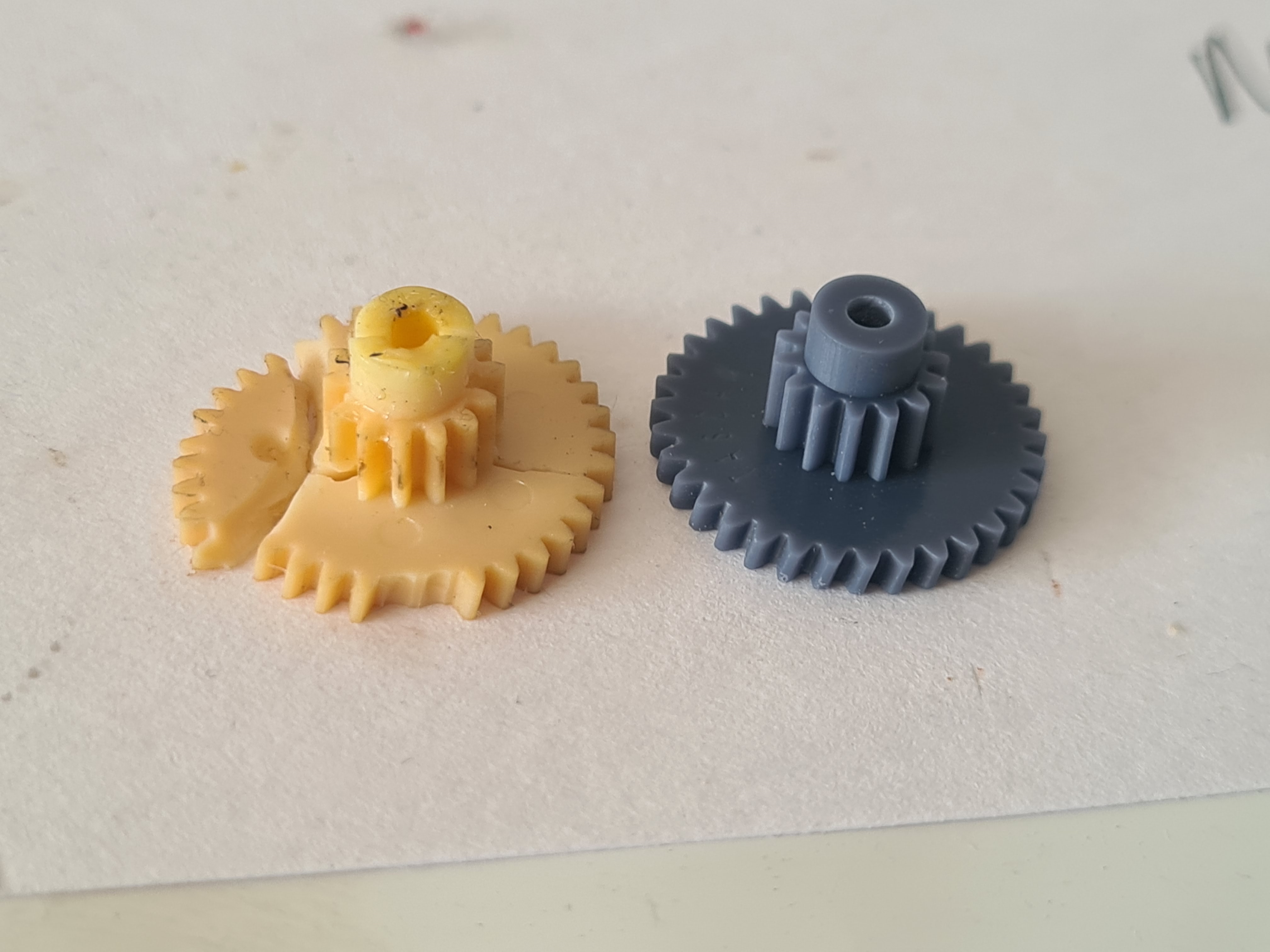
I used the same supplier for the belt mentioned in Tetrakan’s video. And found a supplier in Poland (on ebay) who was selling 3D printed replacement gears. This felt like more of a minefield – the handful of people selling these had widely varying prices, and from the photos it sometimes wasn’t clear how accurate the copies were, whether the material was appropriate, or if the rough-looking texture (particularly in one seller’s photos) would negatively effect how well it would work. Paying £25 for a tiny piece of plastic seems a lot too. But in the end I was really pleased with the new gear C (pictured with its crumbling predecessor) and it worked perfectly. Fitting the new parts was fine, the hardest bit was reconnecting all the cabling inside, which was a bit of a faff. I used some silicone grease to make sure the gears would run smoothly.
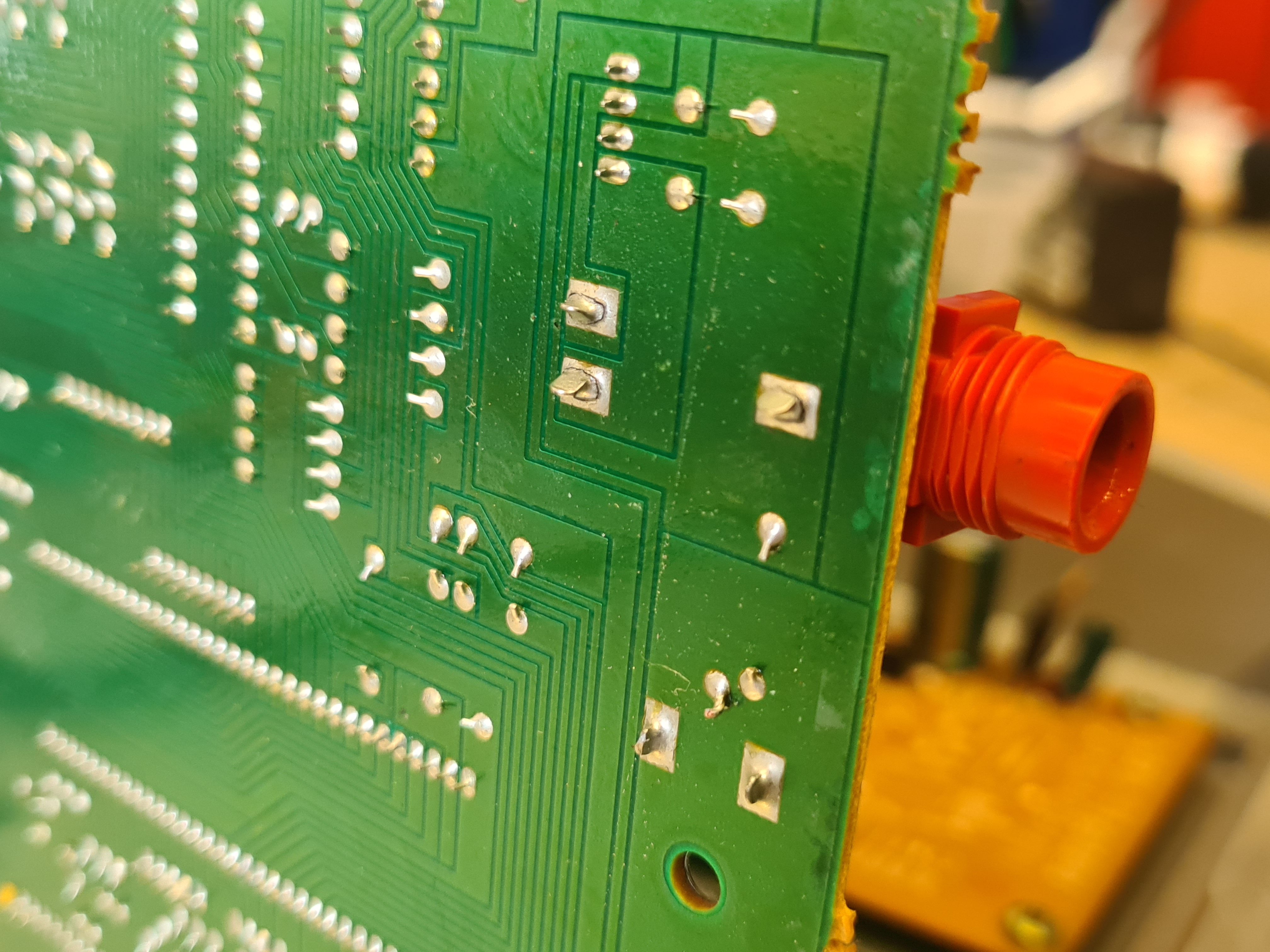
After putting it all back together i dug out some old four-rack recordings and checked it was working. All great, I was thrilled it worked with no issues. I tested by listening via the headphone socket, and remembered a slightly annoying issue from last time I’d used it: sound cutting out in one or both channels, resolved by wiggling the plug in the socket. I gave that a clean with some contact cleaner, but without any change. The socket itself felt loose, rather than just a bad headphone connection. Out of curiosity rather than expectation, I opened the machine up again to see if I could get at the socket and give it a proper clean. It meant taking out another circuit board, which was somewhat scary with many more cables to disconnect. But having accessed it i could see the solder joints had failed (see photo). Wiggling the socket made intermittent connection to the circuit board. As it was a nice old board with big solder joints, it was easy to repair with the soldering iron. Now the headphones work perfectly too – so it’s actually an improvement over last time I used it for recording.
I can’t wait to start doing some more four-track recording, now. Having loads of ideas for projects, specific techniques I want to try, and some collaborations too.
Repairing the laptop was less of a hands-on process. I bought the Thinkpad T470 in 2018 and used it extensively for recording, mixing, programming the radio show and all my admin. I did play some live coding sets with it too, though it tended to struggle. It’s got an i5 processor and 32GB of RAM, and was the best I could afford at the time. The hardware wasn’t supported by Windows 11, and its slowed down quite a lot over the last couple of years, so it had been relegated for use just for things like note taking (on Obsidian) or writing emails. Nevertheless, I was a bit worried about security with the end of Windows support, and it felt like a good time to trial running Linux as an alternative.
I found Morten Mosgaard’s series of blog posts on Finding the right Linux Distribution incredibly helpful, to the extent I wouldn’t have considered making the change without them. Though I’m not planning to use the laptop for much heavy audio stuff, it is a consideration, so the factors Morten discussed gave me lots to consider. In the end I went with Linux Mint as the distribution, mainly as I wanted the process to be as painless as possible, and I didn’t want it to be too different from the Windows workflow I’m used to. I chose MATE as the desktop environment – of the three on offer it was apparently a bit more minimal in terms of features but also better for older machines and making best use of the hardware. It wasn’t that clear beforehand exactly what features I wouldn’t have access to, so it was a bit of a stab in the dark. Using windows I tend to turn a lot of features off – I don’t want widgets or animations, and definitely no AI integration – so if those “advanced” features were missing I’d be happy anyway.
The installation process was completely painless (especially after the stress I had installing windows on my self-built desktop PC a couple of years ago) and lots of the programs i use were already installed too. I’ve been slowly moving to open source or free-to-use software over the years already, so Inkscape, Gimp, VLC player, Audacity and LibreOffice are already the ones I use. Obsidian, Reaper, Signal all have a Linux version, and with the inbuilt software manager it was easy to get them all installed. I barely had to touch the terminal.
I had some problems trying to sort the audio out with Reaper. It worked fine with the default audio drivers, but when I tried to get Jack running (which I imagine as the Linux equivalent of using ASIO rather that inbuilt Windows sound) I got stuck. Installing lots of things like QJackCtl, Jack Mixer, PipeWire-Jack – in the end it was mostly guesswork. If Reaper was working through Jack, VLC or Firefox audio was broken, and vice-versa. I spent a couple of hours faffing, installing and uninstalling things, broke the audio completely, then used the Time Machine function to revert to the state it was in before. So at the moment, I’m sticking to default audio, but might look at this again in future if I need to. I won’t be using an external sound card, and the most taxing audio work would be mixing a couple of stereo tracks at the same time for making the radio show.
Two programs I use a lot don’t have Linux versions, and this would be something to look at more in future. I use googledrive for cloud storage and automatically sharing files. Eg, for Obsidian I would keep my vault for research and writing on both the laptop and my desktop, so they’re always synced. Dropbox do have a Linux version, so I am considering moving my vault over to that (I have 20GB allowance on there) but for now I’m just keeping the laptop off the cloud – I can throw things into gdrive via the browser if I need to. I do plan to leave google eventually, probably for Proton, but doesn’t look like that’s feasible for cloud stuff at the moment. I have another laptop (newer but more broken) at the studio, which I use for recording. Having it connected to gdrive means i can pick up Reaper files on my desktop at home for mixing, which works really well, so I’m thinking about options for how to do that. The other program I use loads is Ozone Izotope 8, which I paid over £200 for a few years ago, so don’t want to jettison. It looks like there are some ways to use the windows VST but I’m not ready to dive into that yet. I wouldn’t use it on the laptop really anyway.
Generally Linux on the Thinkpad seems to be working great. Using it for browsing is marginally faster than it was on Windows, from what I can tell. The battery seems to last longer, and doesn’t totally drain when the laptop is asleep, like it did with Windows. Time will tell – but I’m glad to have avoided the planned obsolescence of the Win 11 upgrade, and it feels like something of a milestone to have successfully got a Linux machine up and running (albeit in the least technical way possible really).
Buoyed with confidence I’ve got my next repair in my sights: a new screen for the studio laptop. For a couple of years its been glitching, with these vertical lines which get more or less intrusive seemingly at random. I’ve tried reapplying heat sync paste, forcing it to use one or other of the two internal graphics cards, testing using an external monitor (which is absolutely fine), wiggling wires, clearing dust, moving it to different locations and anything else I could think of, without much correlation to how and when the lines appear. If the screen replacement is successful, I’m now considering installing Linux on this machine too.
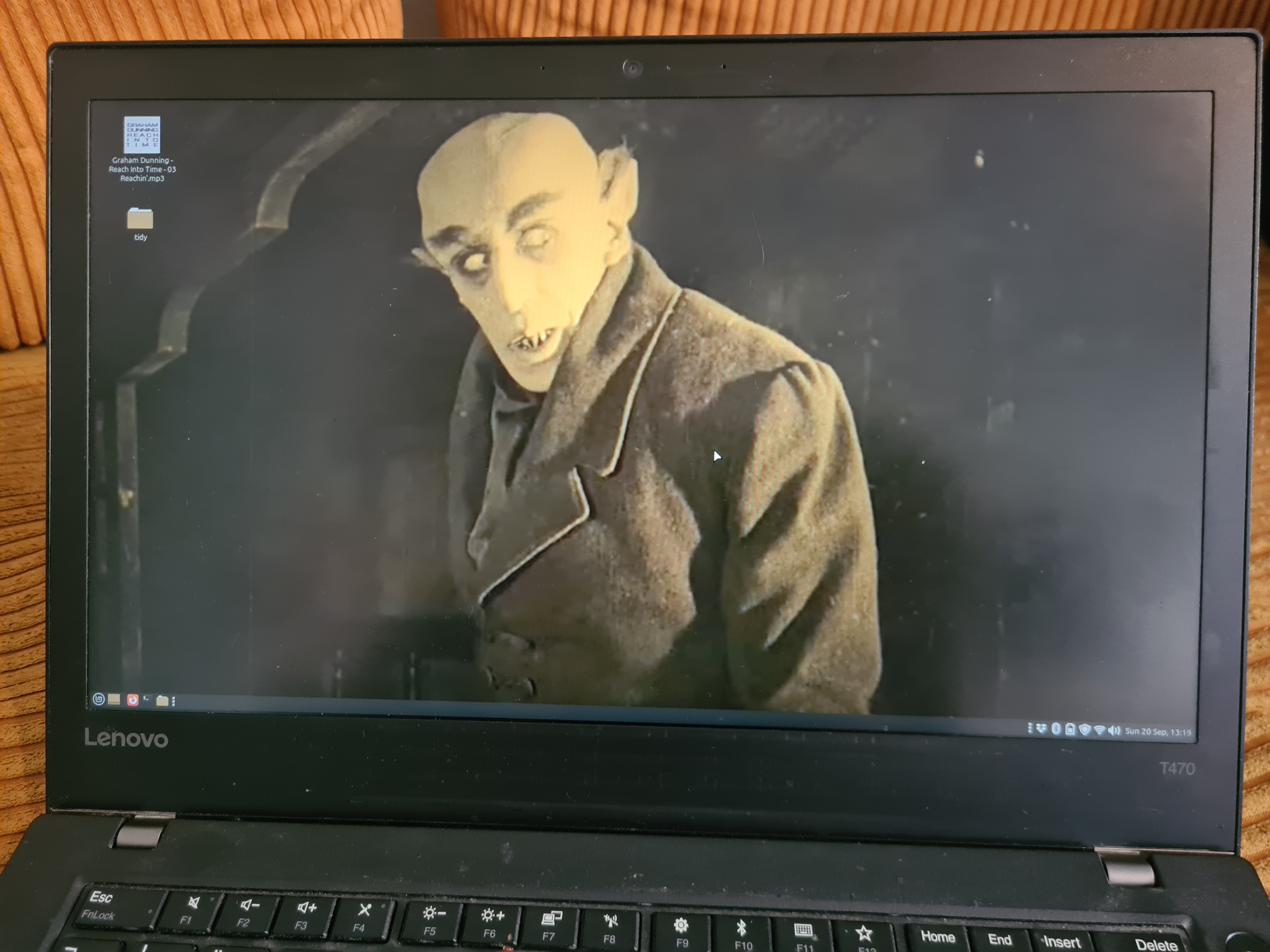
Last night looking for unobtrusive photos for the desktop background I chose a still from Nosferatu, looking like he’s up to no good. Completely by coincidence, it feels appropriate for a bit of obsolete technology brought back from the dead.
Finding Track IDs as a hobby in itself
Recently I’ve become aware of an online phenomenon whereby online viewers spend time trying to identify snippets of records in obscure youtube mix videos. Specifically, in a couple of things I’ve posted on my own channel where the identity of the records was never intended as an important part of the content. Both use records in unconventional ways to deliberately produce abrasive, non-musical sound, with a focus on intensity and the visual impact of the process. The first is a video from a workshop I ran in 2019, called Vinyl Destruction. The second, a cut-up video collage of coloured vinyl made as part of Noisevember 2019. Some visitors to my channel have taken it upon themselves to try to identify all the records used in these videos. I didn’t invite anyone to do this, or ever anticipate that anyone would want to, and I find it curious that they are doing.
The attempt to identify records used in DJ sets has a history as long as turntablism itself. Hip-hop grew from repeated breaks, and part of a DJ’s skill was finding new and fresh breaks to play. Obscurity was valued and, understandably, people were protective of their new found material. In a section on The Early Battle Scene, referring to 1975-19758, Kats writes that, “At this time DJs kept the identity of their more obscure records a secret, sometimes removing the labels on their most important discs or pasting them over with labels from inferior records.” (Groove Music p45) So, aside from recognising the music, the next best identifier is the label.
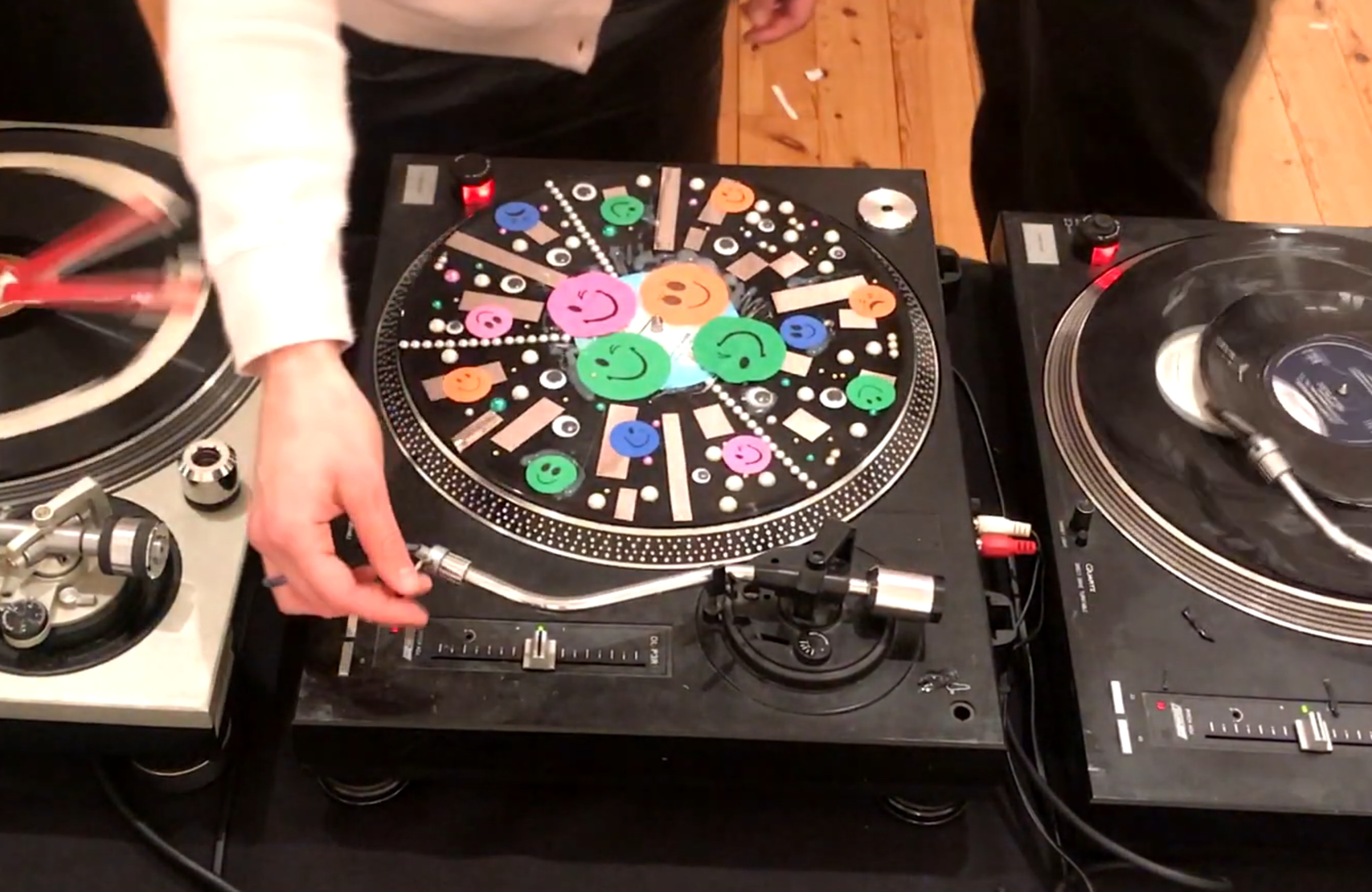
In the Vinyl Destruction workshop, I took a big box of records, some tools, and box of other materials to the gallery and let participants loose on them. I demonstrated various ways of damaging records for different results: snapping them into pieces, scoring them with craft knives, cutting through them, glueing things on, drilling holes, adding adhesive tape and stickers, hot glue gun, sandpaper, adhesive jewels, googly eyes, masking tape, parcel tape, foil, etc. Throughout the workshop participants could listen to the results of their creations and the crescendo was a group performance playing them all in succession/combination on three turntables – this is the video I shared online.
Noisevember (in the form I discovered it) began in 2013. A netlabel release from the following year describes its origins:
“Last year in response to movember and stoptober and all the various other month long challenges that have been put forward in the media, noise musician Lydia Morgan came up with Noisevember, the idea was that during the month of november she would produce one piece of music (primarily noise, but really whatever took her fancy) everyday, surprising other people joined in quite enthusiastically, myself included, well seeing as its almost noisevember time again i thought i’d do a reasonably proper release for it.”
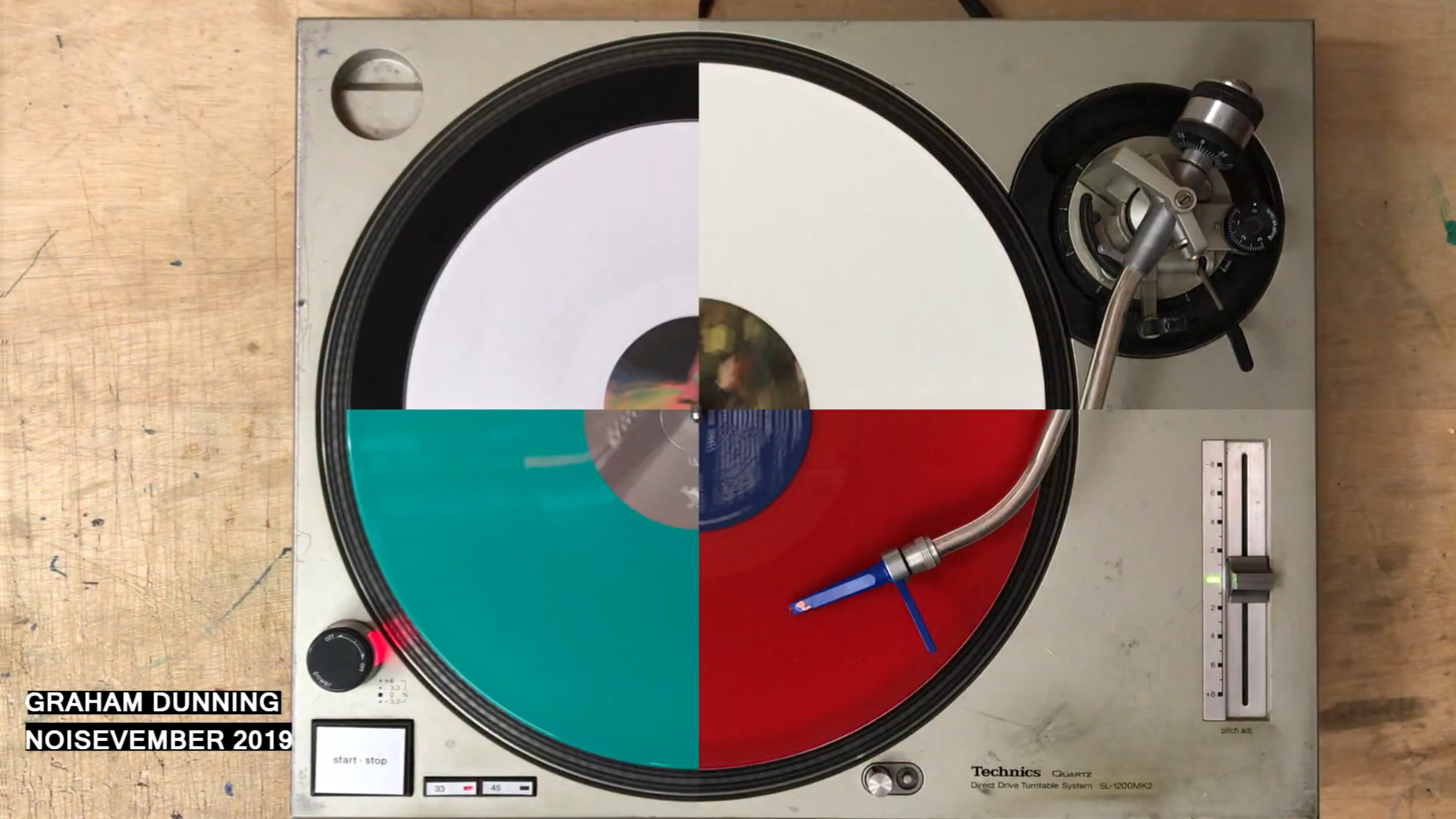
I was a member of the associated Facebook group (I can no longer log in to see the early posts) and in 2019 decided to participate by posting a 30 second video clip each day, making noise in various ways. Many of these involved vinyl, as one of the soundsources I work with the most, including things like a tin foil record and marbles on a metal disk on a turntable. The video which has attracted the attention of one of the Track ID spotters was made noisy through video editing techniques rather than the sound sources themselves. I recorded very short snippets of every coloured vinyl record and picture disc in my collection, then edited them in a staccato fashion, finally playing two then four together, splitting the frame into four quarters.
Both videos seem to have attracted track ID spotters, with much more attention paid to the first. My assumption is that this is a hobby some people enjoy, the detective work of analysing the audio and video, finding matches, solving a puzzle. It fascinates me that people would spend so long doing this, in particular because of how throw-away these records seemed to be.
Found playing card: 4 of Clubs
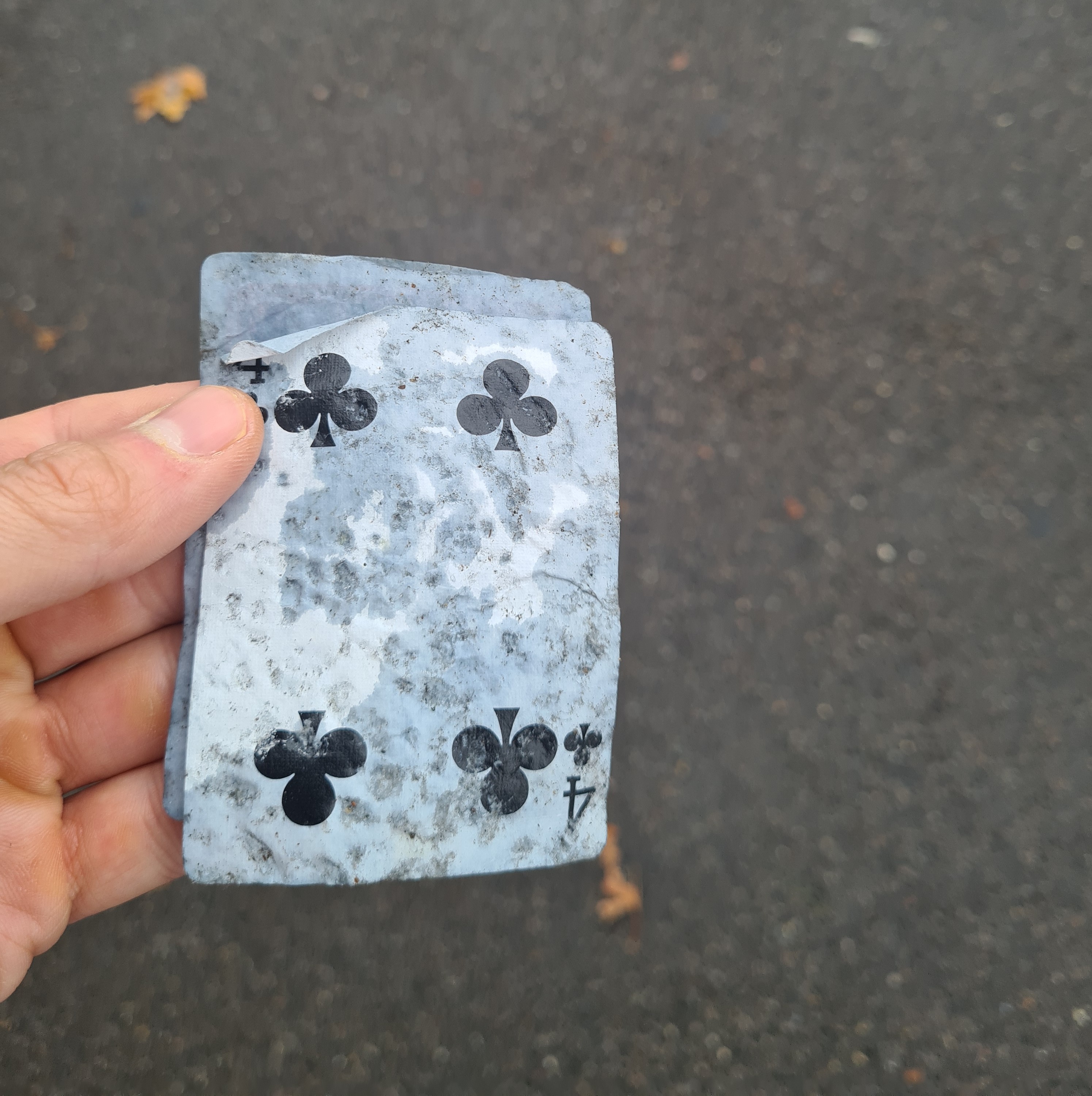
Unusual to find two in a month – this was only a couple of weeks after my last catch. This one was on its own, quite wet, outside the shop near the climbing wall I go to. Luckily, not a duplicate.
Found playing card: 8 of Spades

Not technically found on the street, this card, which has a mobile phone number written on the back, was handed to my by a young man who asked me if I was looking for a contact to buy weed or ketamine. I tried to refuse at first, once I understood his question, which was asked in a hushed manner, but he was insistent I took it. This has never happened to me before. I’m not sure whether I have other cards in the collection with numbers on, which may explain how they were dropped on the street. Due to its unusual nature and the presence of a single card, attributable to a specific location, encountered in an unexpected way, I am considering this a legitimate find and as such adding it to the collection.
New publication: Messing About as Creative Process: Anti-Solutionist Approaches in the Maker’s Workshop, Home Studio and on Stage
The conference proceedings from the Innovation In Music 2024 conference have been published, including my paper titled “Messing About as Creative Process: Anti-Solutionist Approaches in the Maker’s Workshop, Home Studio and on Stage.” The book is available in print now from Routledge, here.
ABSTRACT: Artists have used the term ‘messing around’ not infrequently when discussing their practice, examples of which are introduced below, but the exact nature of what this means has not previously been clearly described. The process of messing about is positioned within the broader method of improvisation, as both a type of experimentation and a joyful unstructured play. Parallels are seen in non-hylomorphic approaches to making and in anti-solutionist design strategies. As an instrument maker, improvising musician and music producer I use messing about as part of my process. Examples from my work are given by way of illustration.